- WooCommerce
How We Rebuilt Krokus on WooCommerce, and Grew Organic Traffic by 32% in 3 Weeks
Krokus, a flower and gift shop, was struggling to grow on an outdated custom platform that had become increasingly difficult to maintain and scale. We moved it to WordPress and WooCommerce, cleaned up its URLs, and gave the team an admin panel, page editor and AI assistant built around how they actually work.
- Only 7% temporary organic dip in week 1
- +32% organic growth within 3 weeks
- AI analytics built into the admin panel
- 99.9% data accuracy on an automated migration
- Street and house-level delivery pricing
Krokus

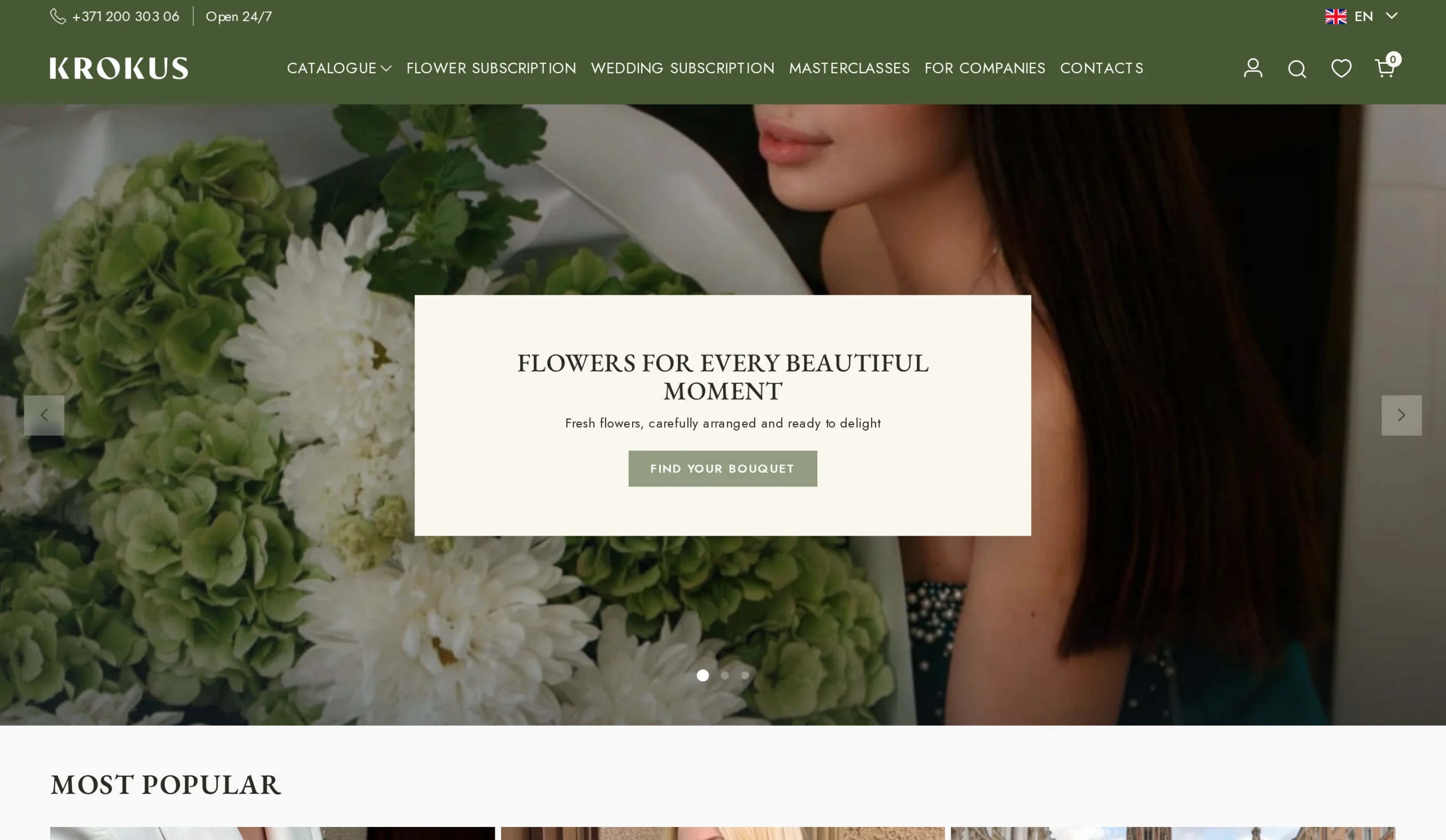
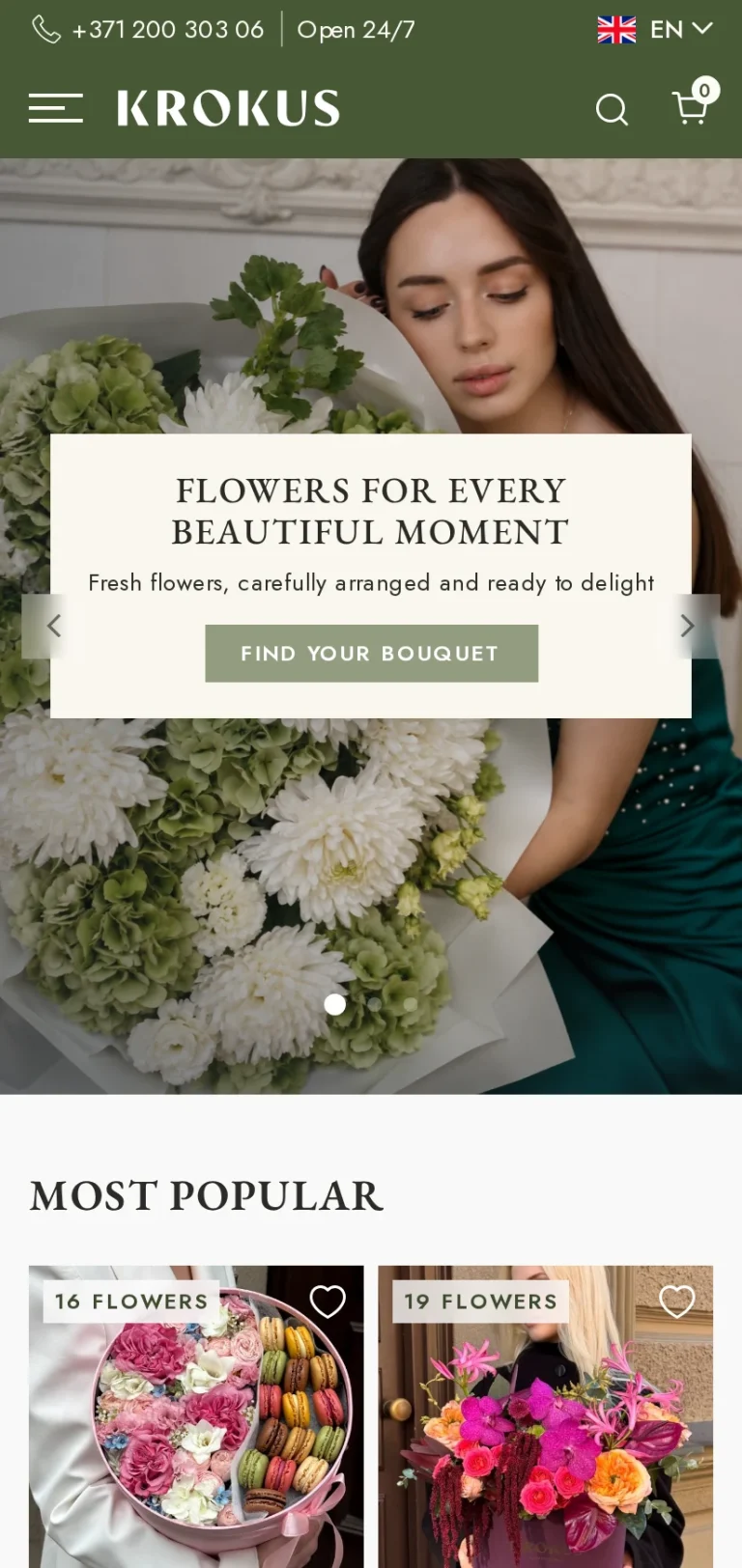
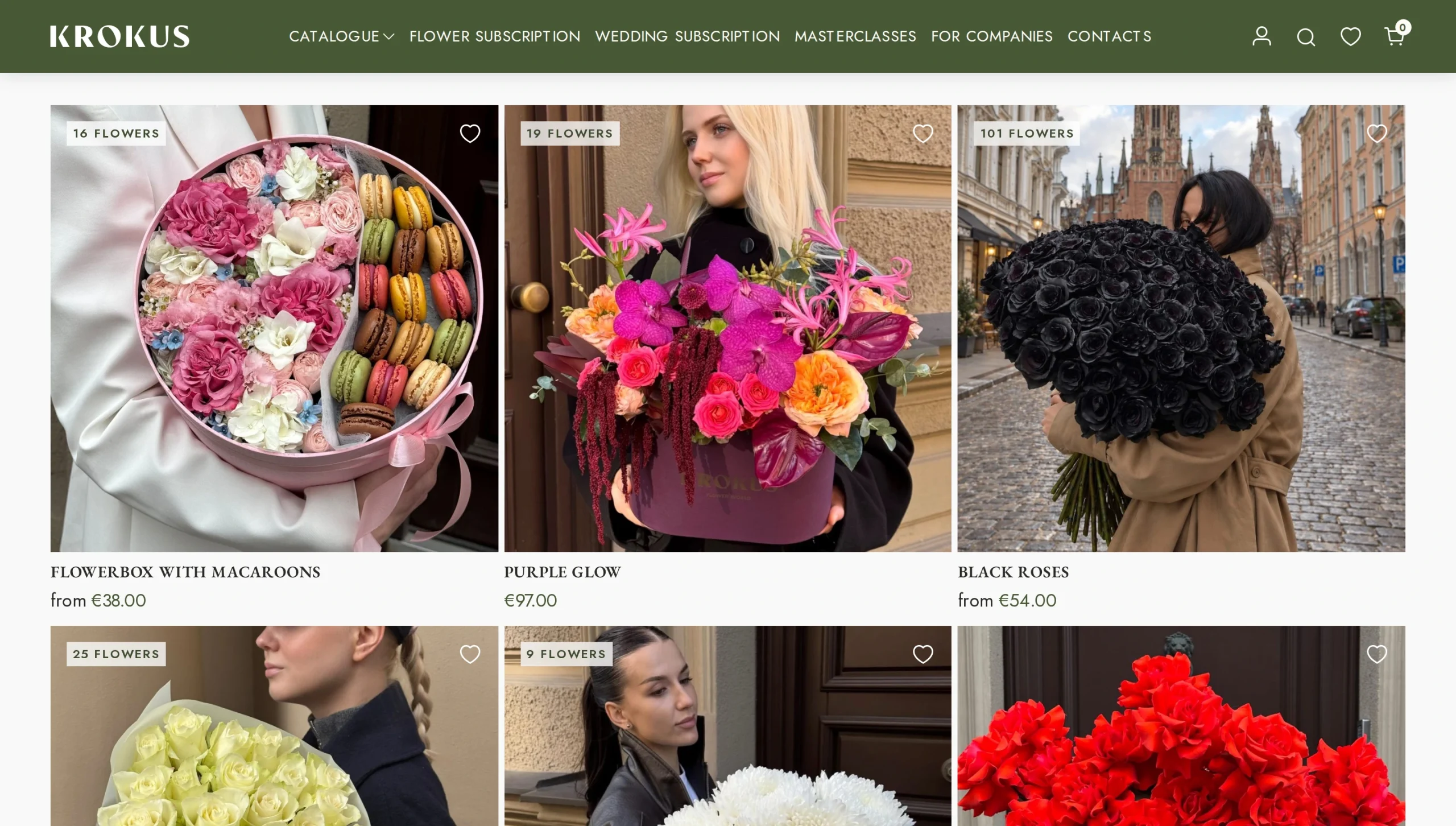
Krokus sells flowers and gifts online with same-day, time-slotted delivery. Every order depends on timing, location and careful preparation, so the website has to do much more than take payments.
- Latvia
- krokus.lv
- WordPress + WooCommerce
Services Provided:
- Platform Migration
- SEO Migration
- Custom WooCommerce Development
- UX/UI
- Admin Panel Customization
- AI Analytics
- Courier System Integration
The Challenge
The Starting Point
The shop ran on a custom-built platform that no outside team could take over. Krokus already had a strong presence on Google and high domain authority. The business worked. The platform underneath it was the problem for growth.
What Was Wrong
• The custom platform could not be maintained or extended by anyone except its original builders.
• Product URLs were unreadable and contained Cyrillic characters, which Google does not favor.
• Floristry has unusual rules (delivery slots, express and night delivery, greeting cards, anonymous orders) that a standard shop cannot handle.
• Day-to-day tasks like changing banners, reordering the homepage or editing content needed developers.
The Risk of Doing Nothing
The business would stay locked into a platform nobody could safely touch, with weak URLs holding back search growth.
The Risk of Changing
Moving a large shop to a new platform usually costs rankings. Krokus had good SEO to lose, so the migration had to protect it.
What Success Meant
A platform the client fully owns and any WordPress team can maintain, no loss of Google visibility, and a back office with Telegram integration that fits the florist and courier workflow.
Our Approach
-
What the Evidence Showed
The problem was not the brand or the traffic. Krokus had strong Google authority and a working business. What held it back was the platform itself, and the fact that a flower business runs on rules no standard shop handles out of the box.
-
What We Prioritized First
Protect the SEO, then build the business logic. A clean URL structure and a safe migration of every product came first, because the rankings were the asset most at risk. The florist-specific delivery and order flow came next, followed by the tools the team uses every day.
-
How We Delivered It
We rebuilt Krokus on WordPress and WooCommerce with a custom theme, PHP templates and the Classic editor, giving full control over every rule and no page-builder bloat. Products were imported from the old website and converted automatically to work with the new custom features. On top of the core shop we built:
• Delivery logic: polygon zones with house-level pricing, time slots, express and night delivery.
• A streamlined admin panel: only what the business needs, optimized for speed.
• A Shopify-style page editor: live desktop and mobile preview.
• A courier system: pick-up, delivery and problem tracking.
• AI analytics: a built-in assistant that knows every sales metric and forecasts products and profit. -
How the Engagement Evolved
What started as a platform migration grew into a full operating system for the business. Once the foundation was solid, the focus moved from “get off the old platform” to “make every daily task faster”: the admin, the editor, the courier flow and the AI layer.
The SEO Migration
The site's authority was its biggest asset, and the biggest thing at risk.
- Week 1 after launch −7% Temporary dip during migration, vs 20–30% typically expected
- Week 3 after launch +32% Over 32% organic growth
- Catalogue migration 99.9% Data accuracy, fully automated, no manual entry
-
The URL Problem
Krokus ranked well, but its URLs were unreadable and contained Cyrillic characters. Google does not favor those. We rebuilt the whole URL structure with clean, readable Latin slugs.
-
The Migration
Products moved over from the old Krokus website and were converted to work with WooCommerce and the new custom features, with no manual data entry.
Replatforming a store with this many pages is a known SEO risk. Krokus dipped only 7% in week 1, then moved well past its starting point within 3 weeks.
The Storefront: Built for Flowers
A flower shop is not a normal shop. A bouquet, a single rose and a gift set all sell differently. We built the shopping experience around that.
Product Pages That Match the Product
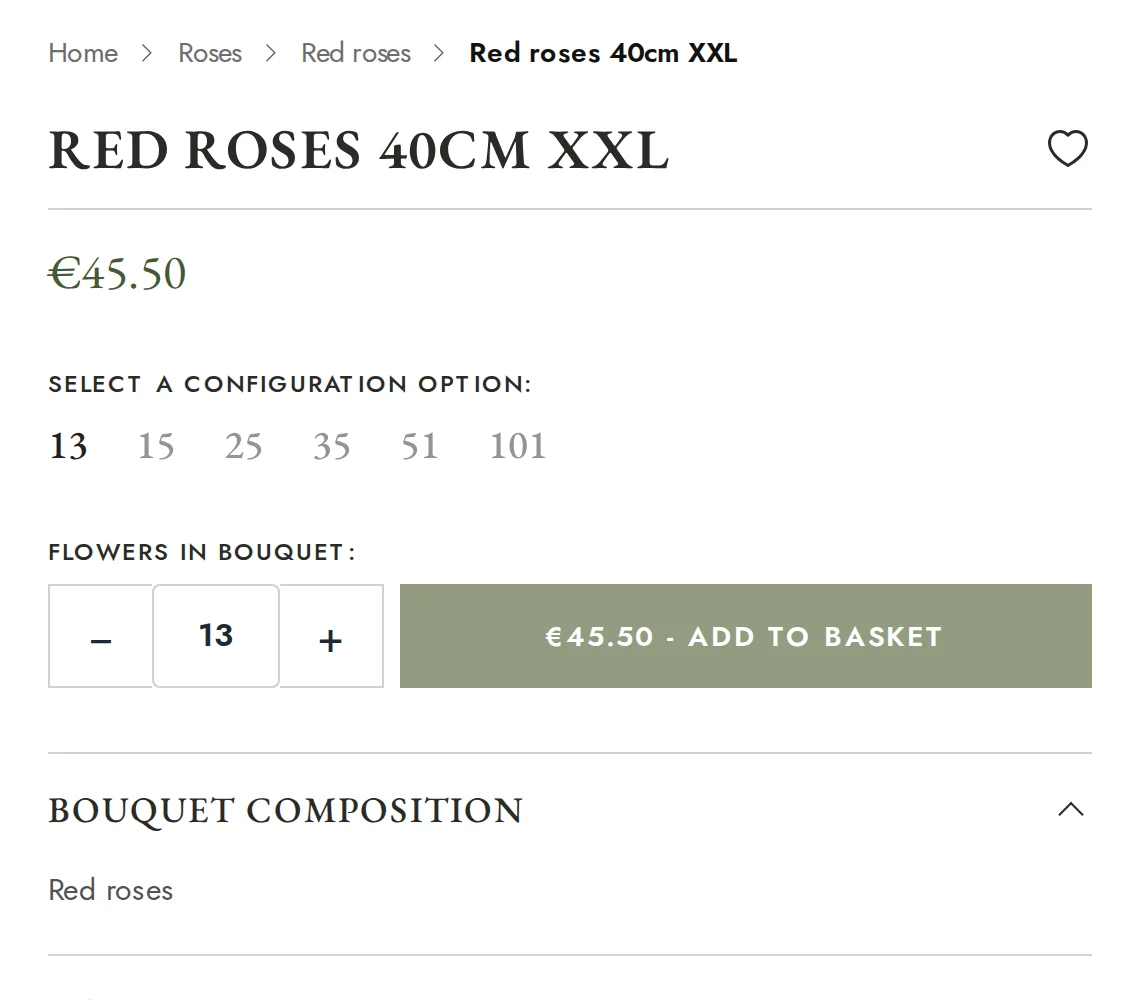
Flowers and ready-made bouquets get different logic and options. Admins set the quantity choices per product type, so customers pick from sensible values instead of typing numbers. Flower products also have minimum and maximum stem counts. If the minimum is 11, nobody can order 5, which keeps unprofitable orders out.
Cart That Grows the Order
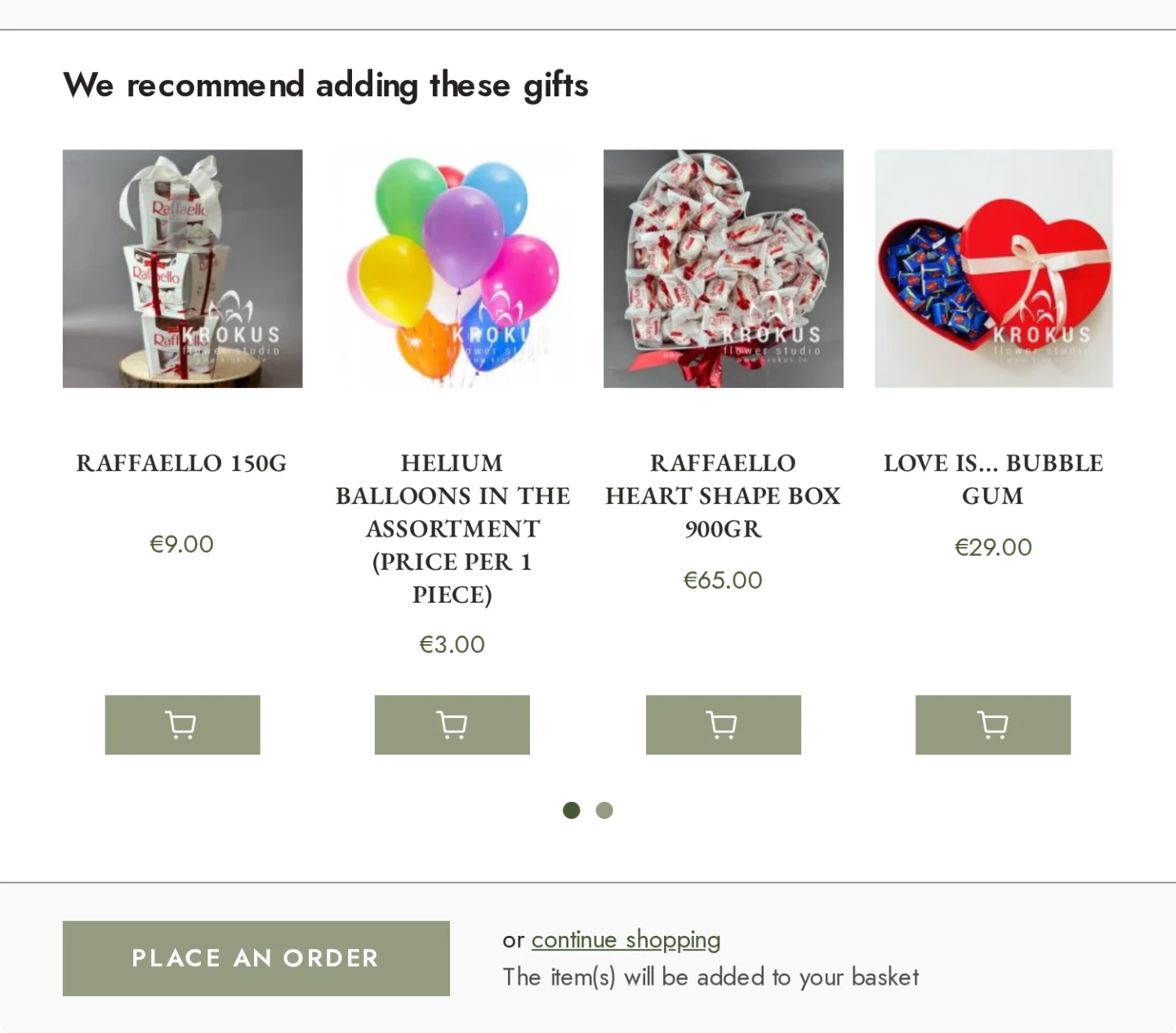
When a product is added, the cart shows the total and suggests related items. Customers get a fuller gift, and the average order value goes up.
Greeting Cards, Handled End to End
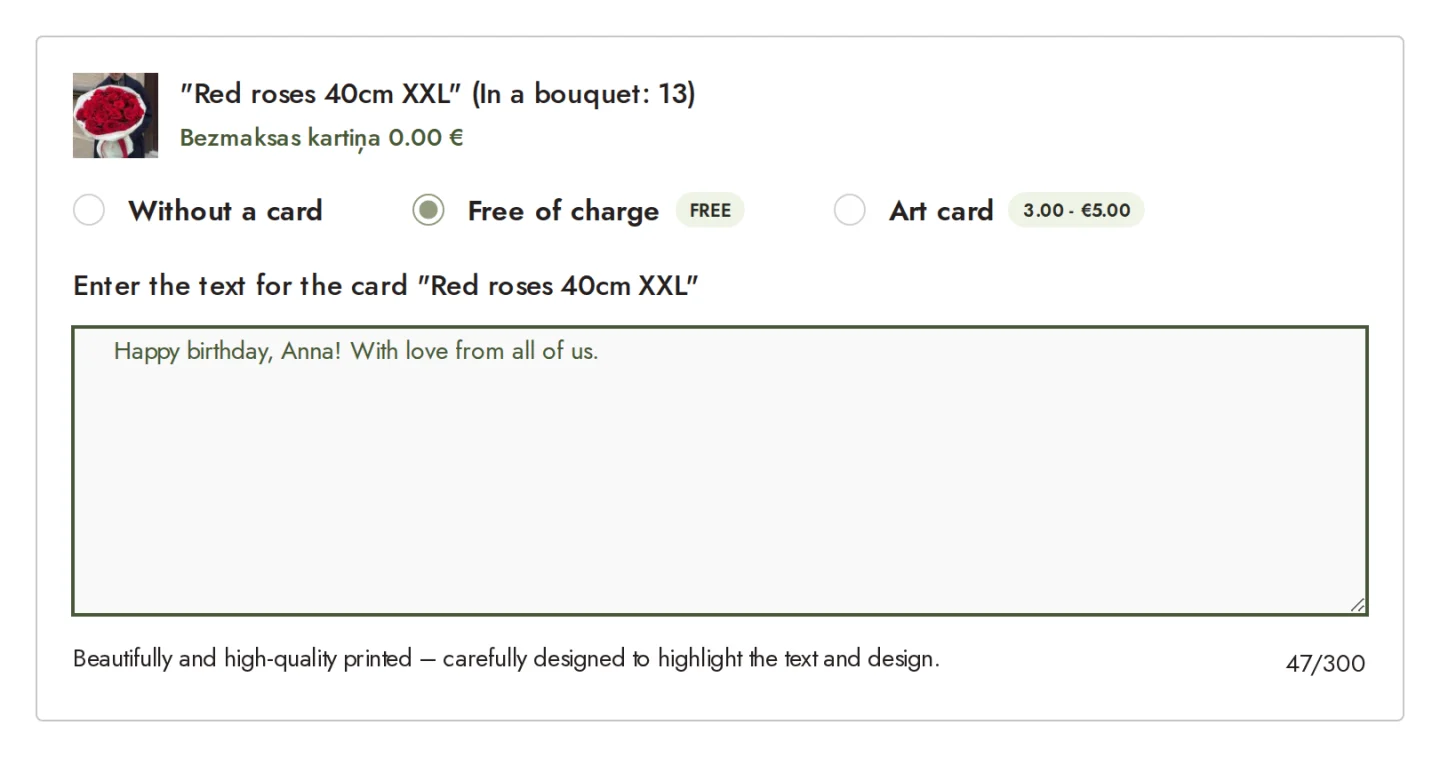
Customers choose no card, a free card or an Art card. The matching card product is added to the cart automatically, and the customer can write a personal message. That text goes straight into the print workflow.
Aquabox Packaging
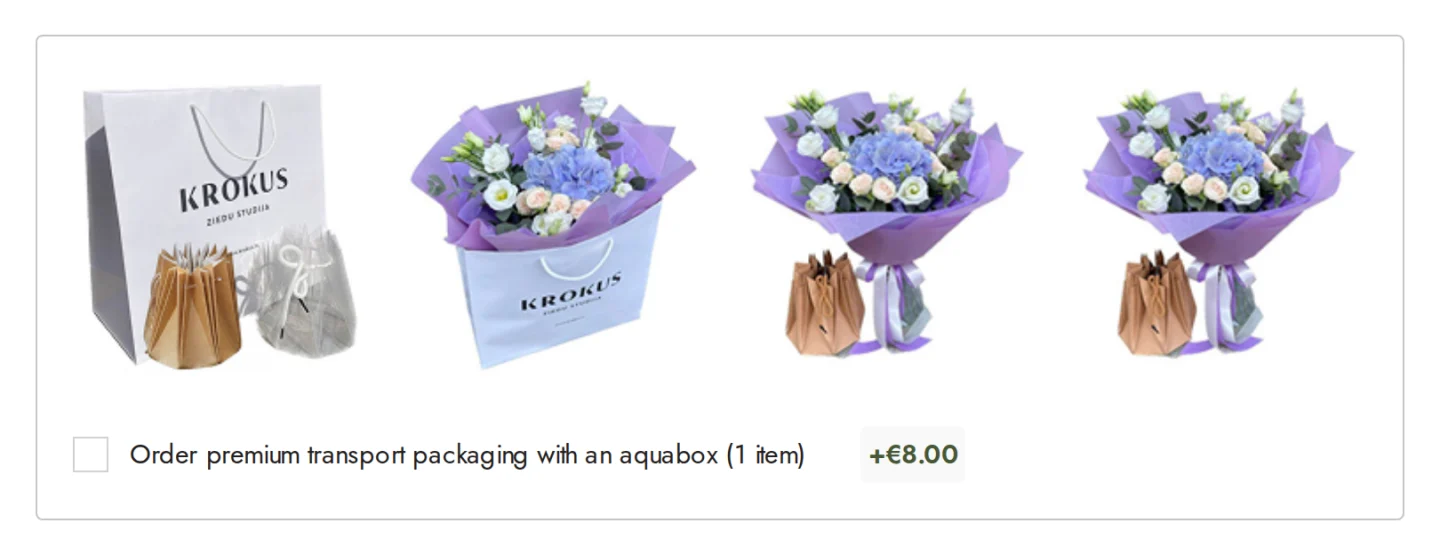
Admins can mark which products support aquabox packaging, and only those show the option.
Delivery That Fits the Real World
House-Level Delivery Pricing
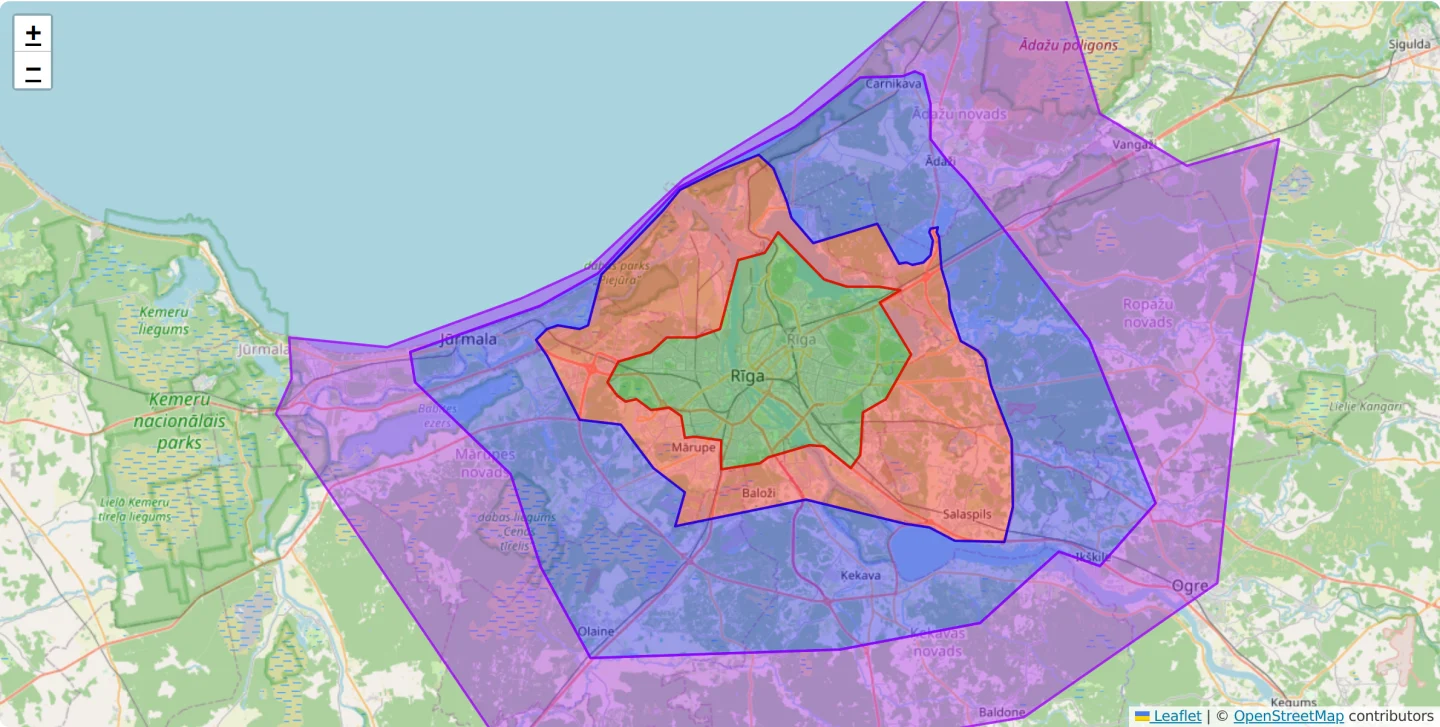
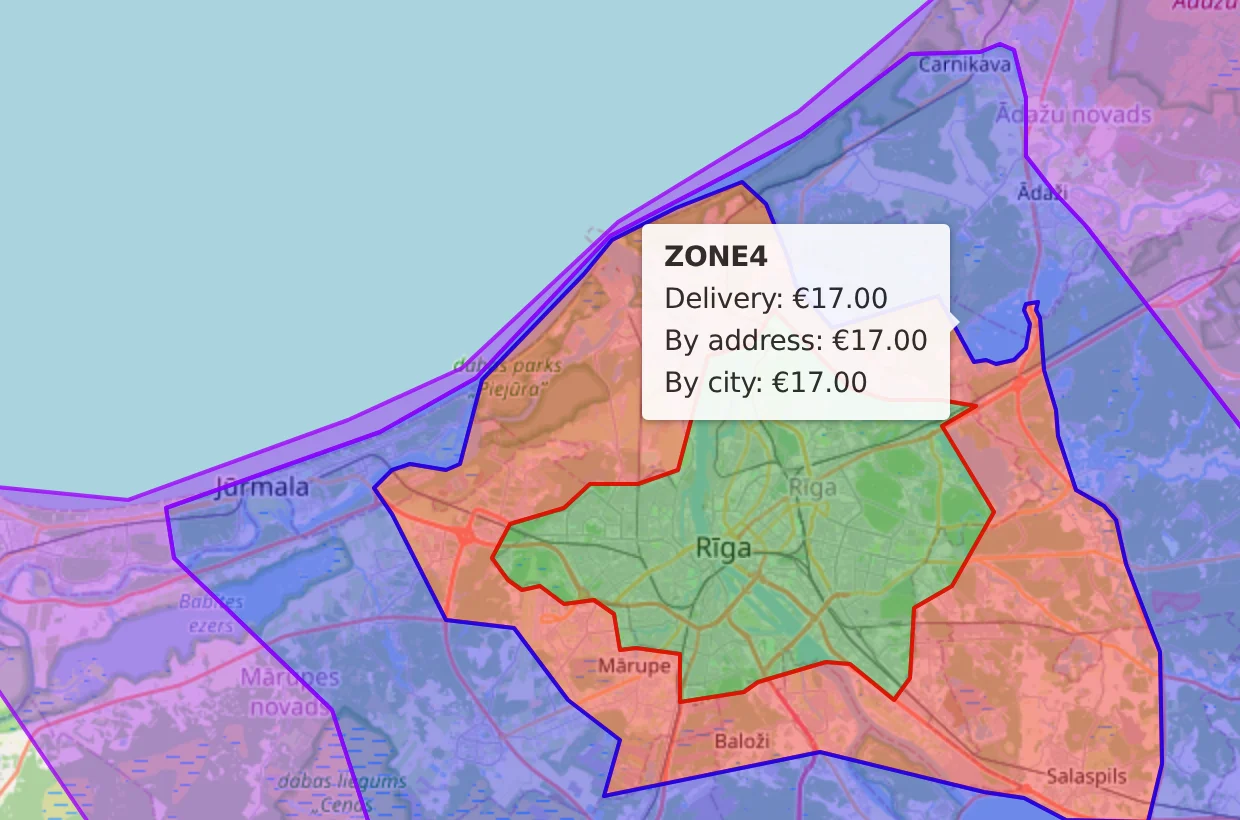
Delivery zones are drawn as precise polygons on the map. When a customer enters an address, the system finds the exact zone and returns that zone's price instantly, down to street and house number. Two neighbors on the same street can get different prices, because the zone line runs between them.
Interactive Delivery Map
The same colored zones are shown to customers on the delivery page, with the price for each area, so they know the cost before they order and checkout holds no surprises.
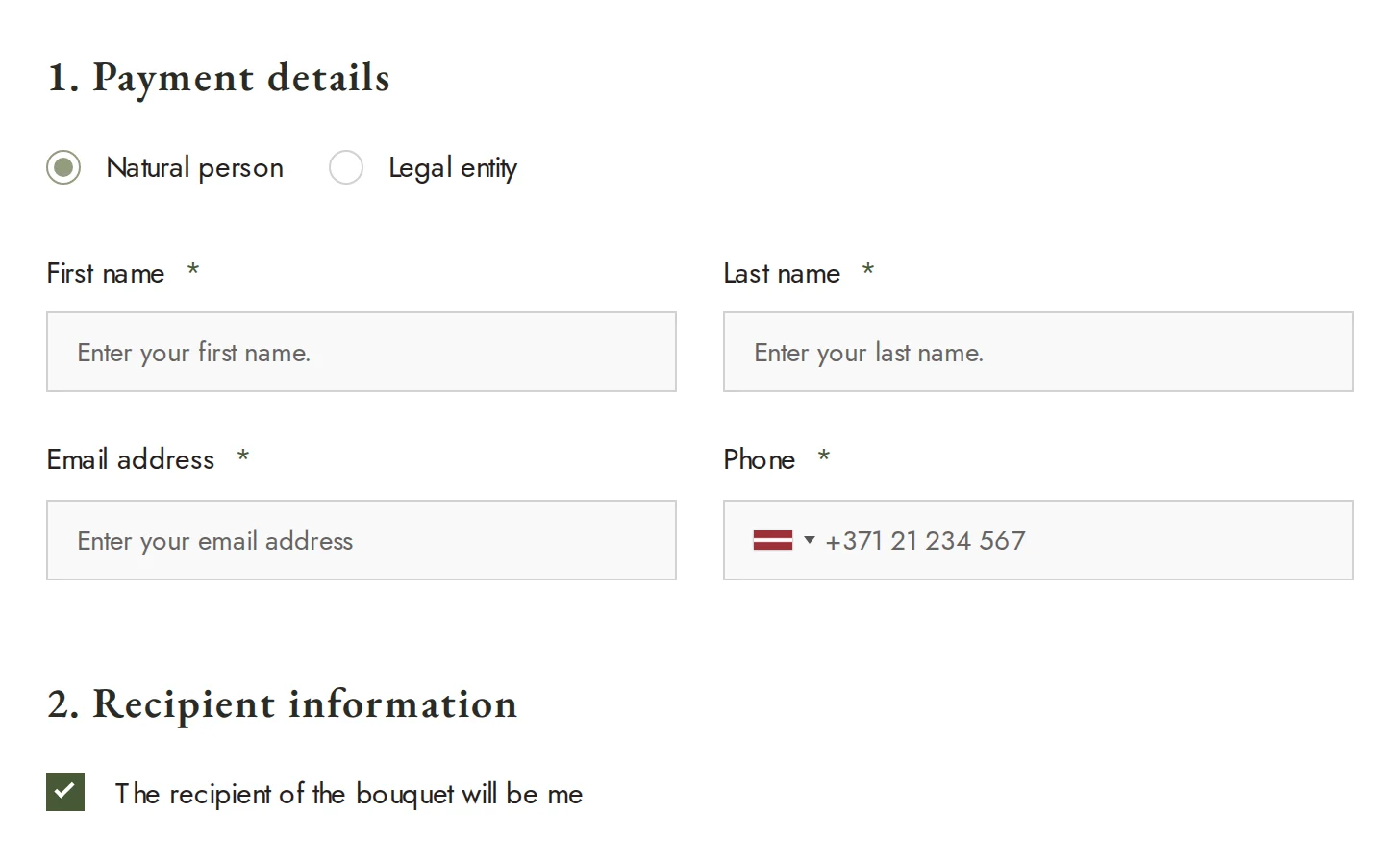
Order for Yourself or as a Gift
Recipient details are collected only when needed.
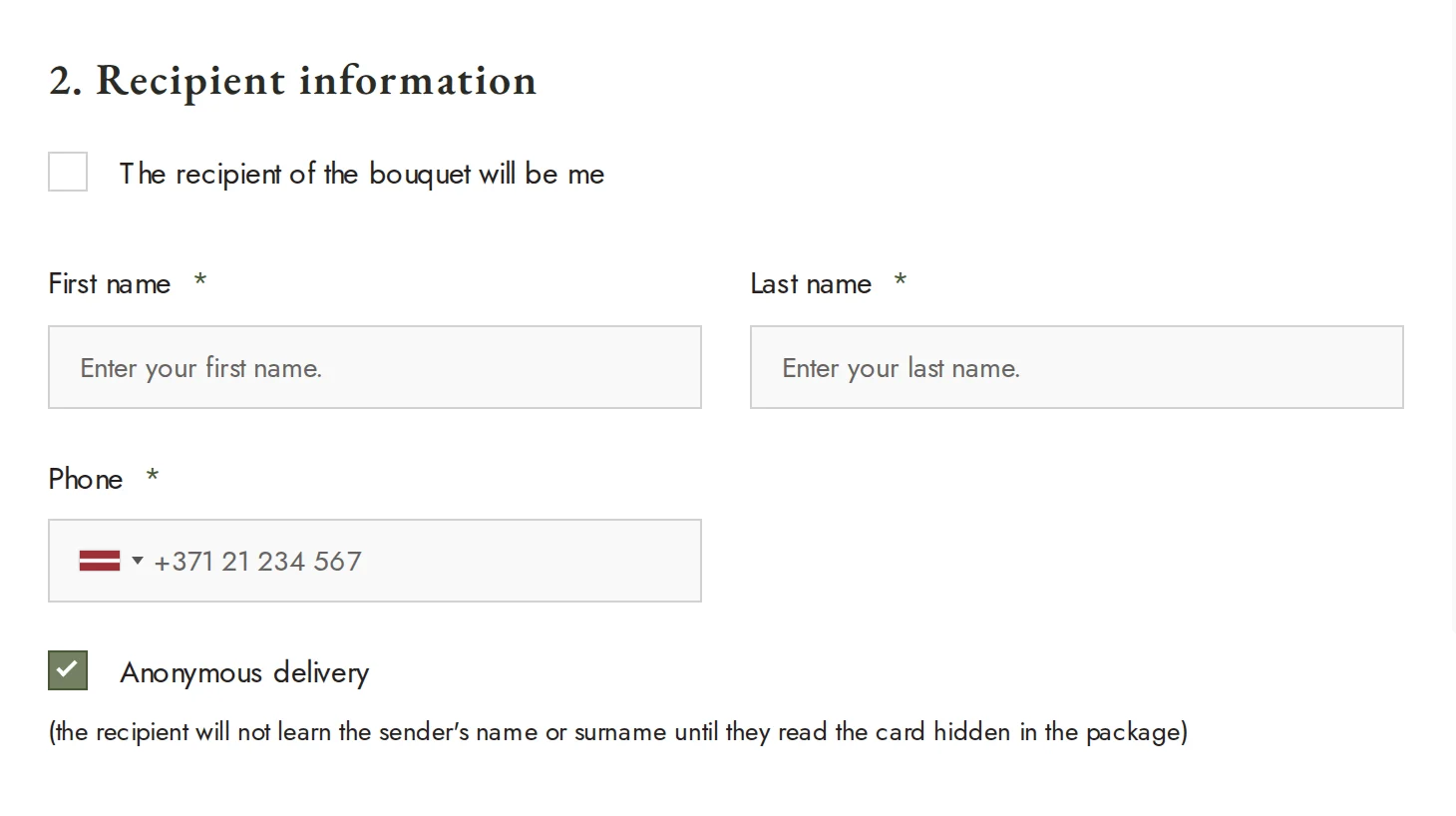
Anonymous Delivery
One tick at checkout. The courier and the team see it on the order.
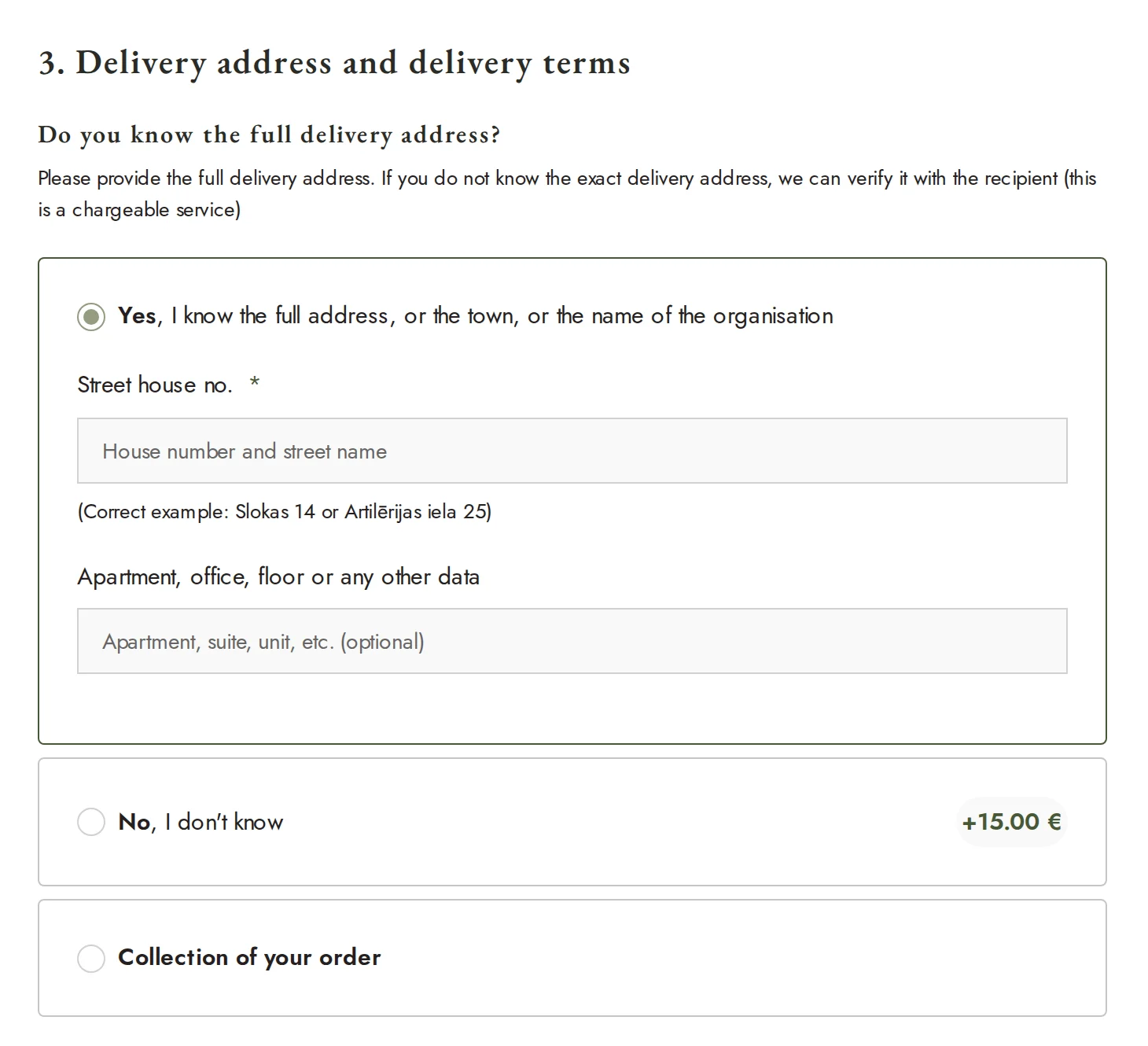
Deliver It Yourself, or Let the Team Find the Recipient
Customers can also choose to deliver it themselves, or pay extra for the team to contact the recipient and arrange a handover.
Time Slots Inside Riga
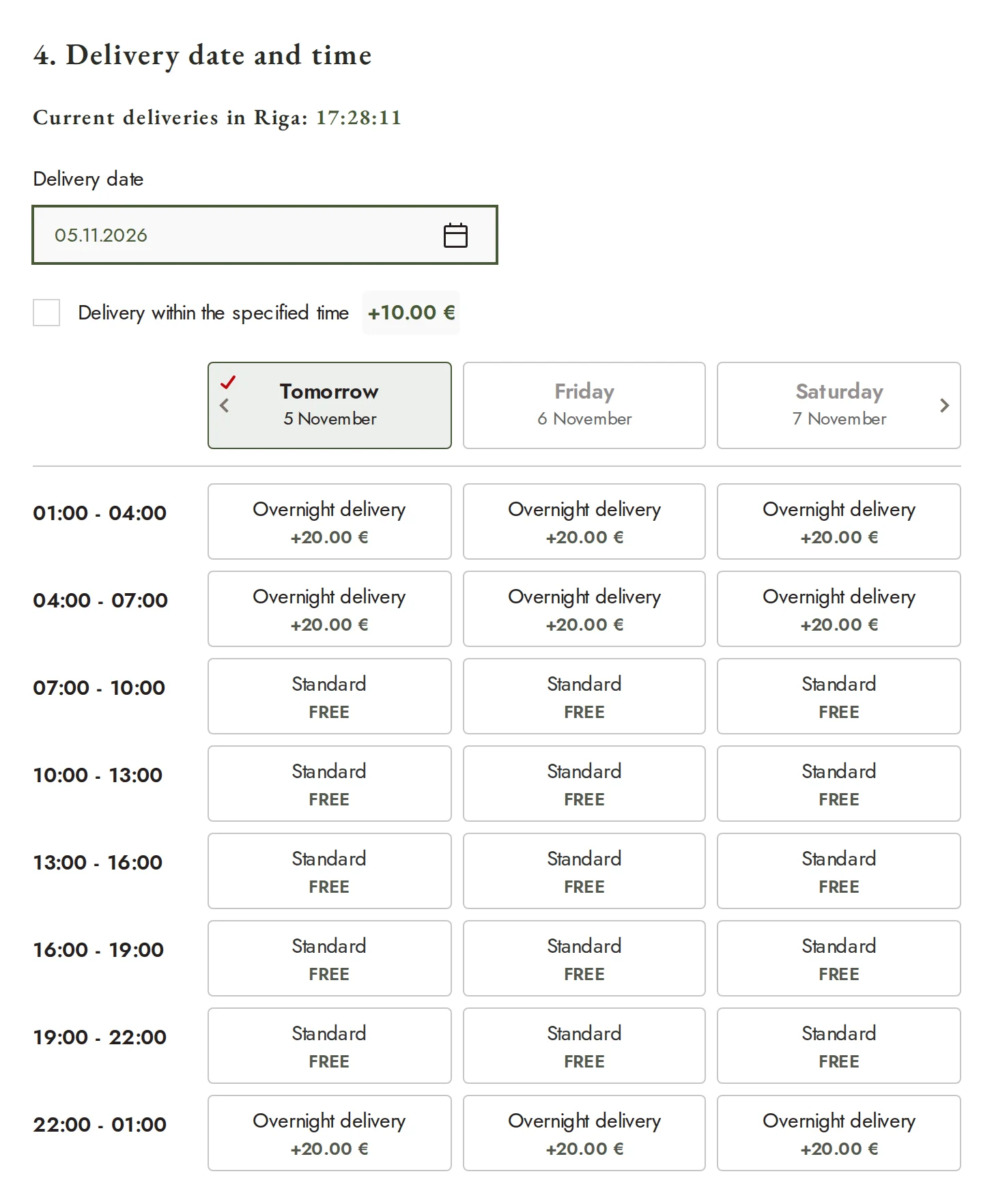
Customers pick a delivery time. Express and night delivery add the right surcharge automatically.
The Back Office: Fast, Simple, Smart
The team lives in the admin panel all day, so we treated it as a product of its own.
An Admin Panel Stripped Down to What Matters. We customized the standard WordPress panel from the ground up. Most merchants know how much of the default panel they never use. We removed that noise and kept what a florist business needs. The result is faster to load, easier to learn and intuitive from the first day.
AI Analytics That Knows the Whole Business
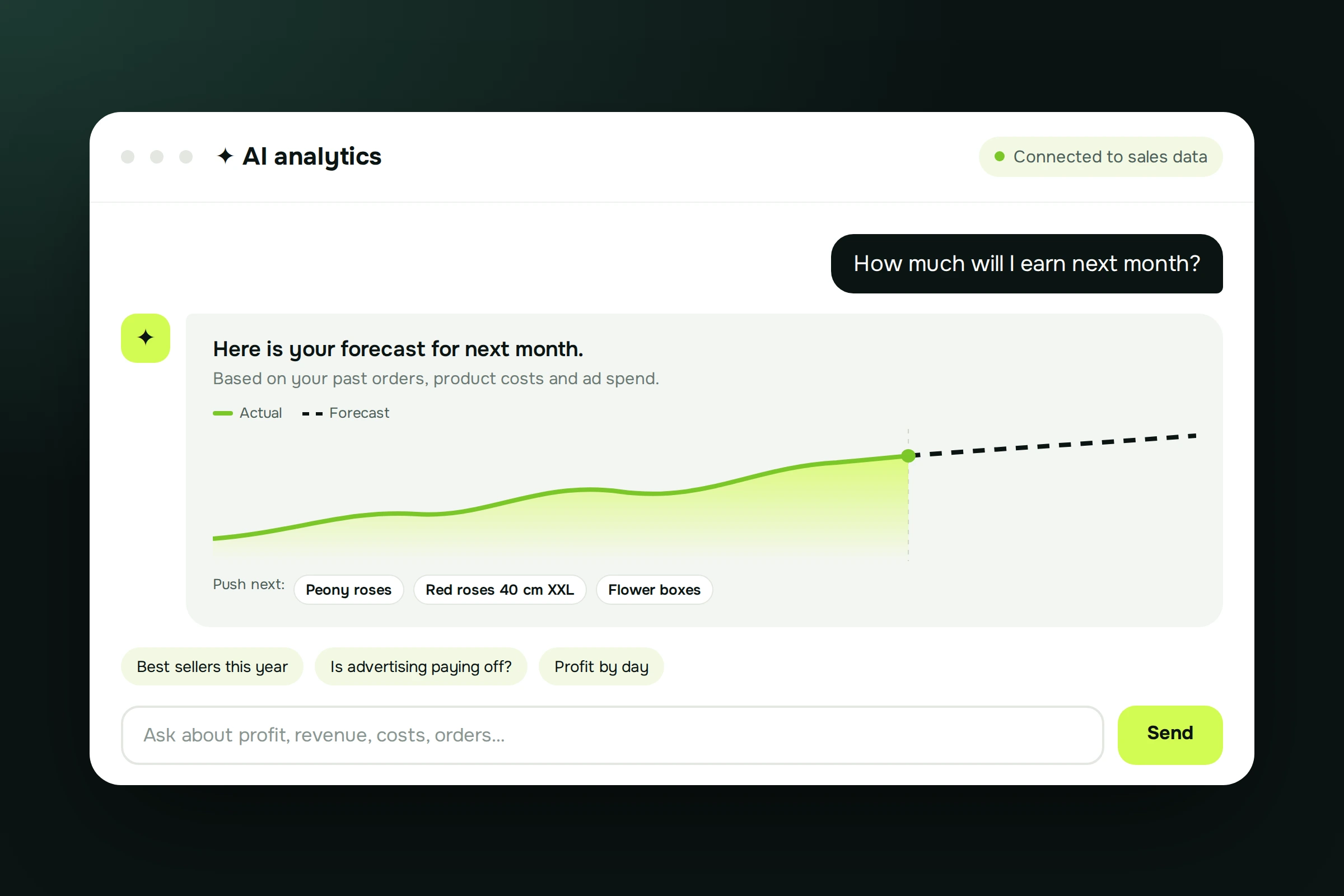
Inside the admin panel sits an AI assistant connected to all of Krokus's sales data and metrics. Ask it a question in plain language and it answers from real numbers. It also forecasts which products will sell, what profit to expect and where to focus, so planning is based on data, not guesswork.
Orders That Organize Themselves
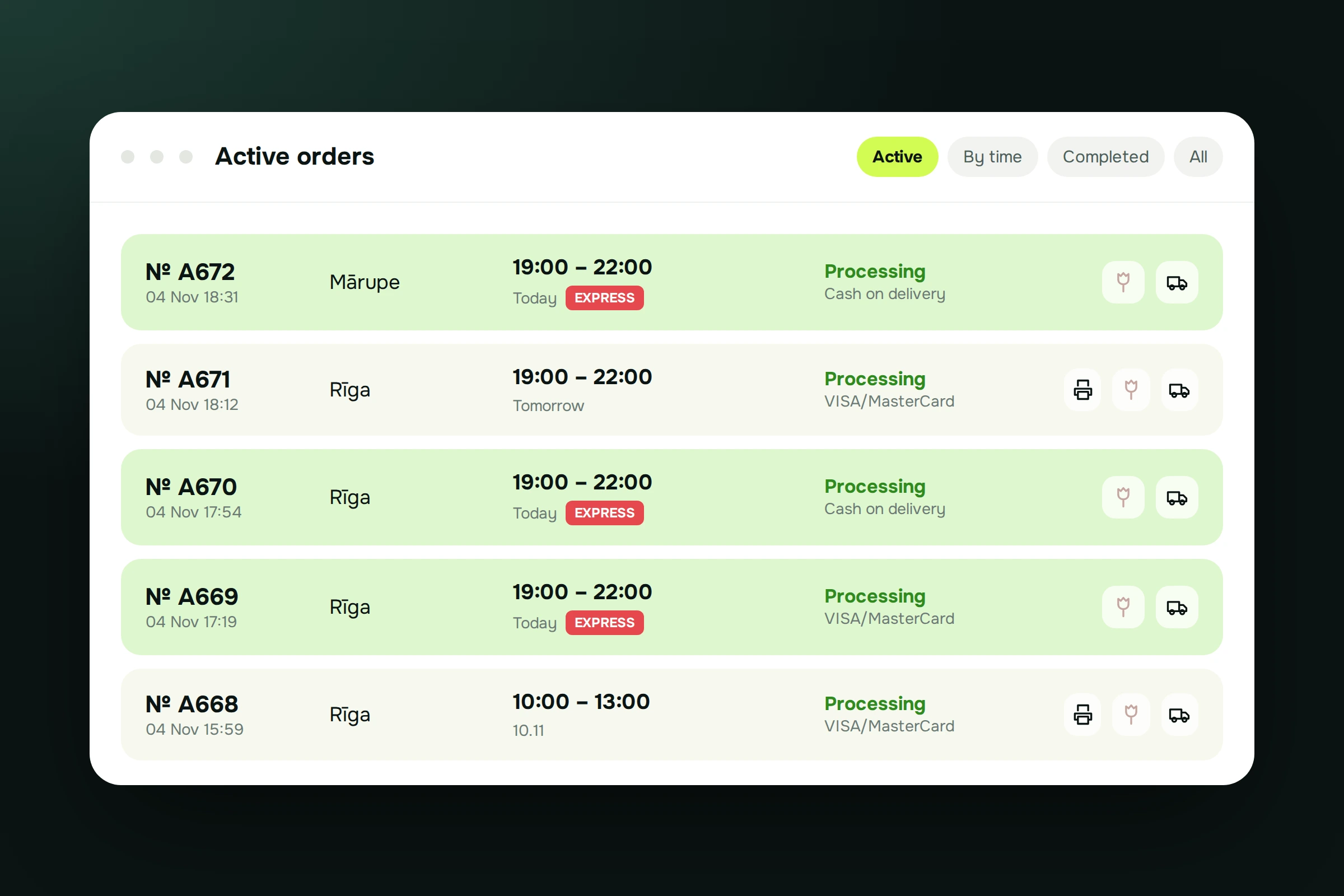
- Active orders view. Orders are color-coded by status, day and time. Icons show at a glance if an order is out for delivery, has a printed invoice, is ready, or is express.
- Grouped by delivery time. Express orders are highlighted in red, so florists and couriers can plan the day in the order that matters.
- Extended order editing. Admins can change the date and time (the order regroups automatically), swap the greeting card, edit the card text, and see all customer choices in one place.
- Extra payment requests. If the real cost exceeds the original estimate, the admin requests an extra payment and the customer gets an email automatically.
- Telegram alerts. Each new order posts to the team's Telegram group with date, time, amount, payment method and products, so nobody has to keep watching the panel.
The Courier System
Deliveries are tracked from the florist's table to the customer's door, with no paper chasing.
-
01
Pick-Up by Order Number
A courier enters the order number to take it. The order is assigned to them, and the admin panel updates with their name.
-
02
Digital Delivery Form
It shows the zone number, ordered products, whether a card is included, the address and signature fields for the recipient.
-
03
Problems on Record
If something goes wrong on the route, the courier flags it. The indicator updates and the details are saved in the order notes for a full history.
-
04
Delivered Means Done
Marking an order delivered updates the shop status automatically and moves it to completed orders.
-
05
Staff Statistics
A dashboard shows which regions and dates each courier or florist handled, which makes workload and staffing decisions easier.
-
06
Courier Management
Admins set the display name, active status, system access and internal comments, and can see when each courier joined.
A Shopify-Style Editor for the Whole Site
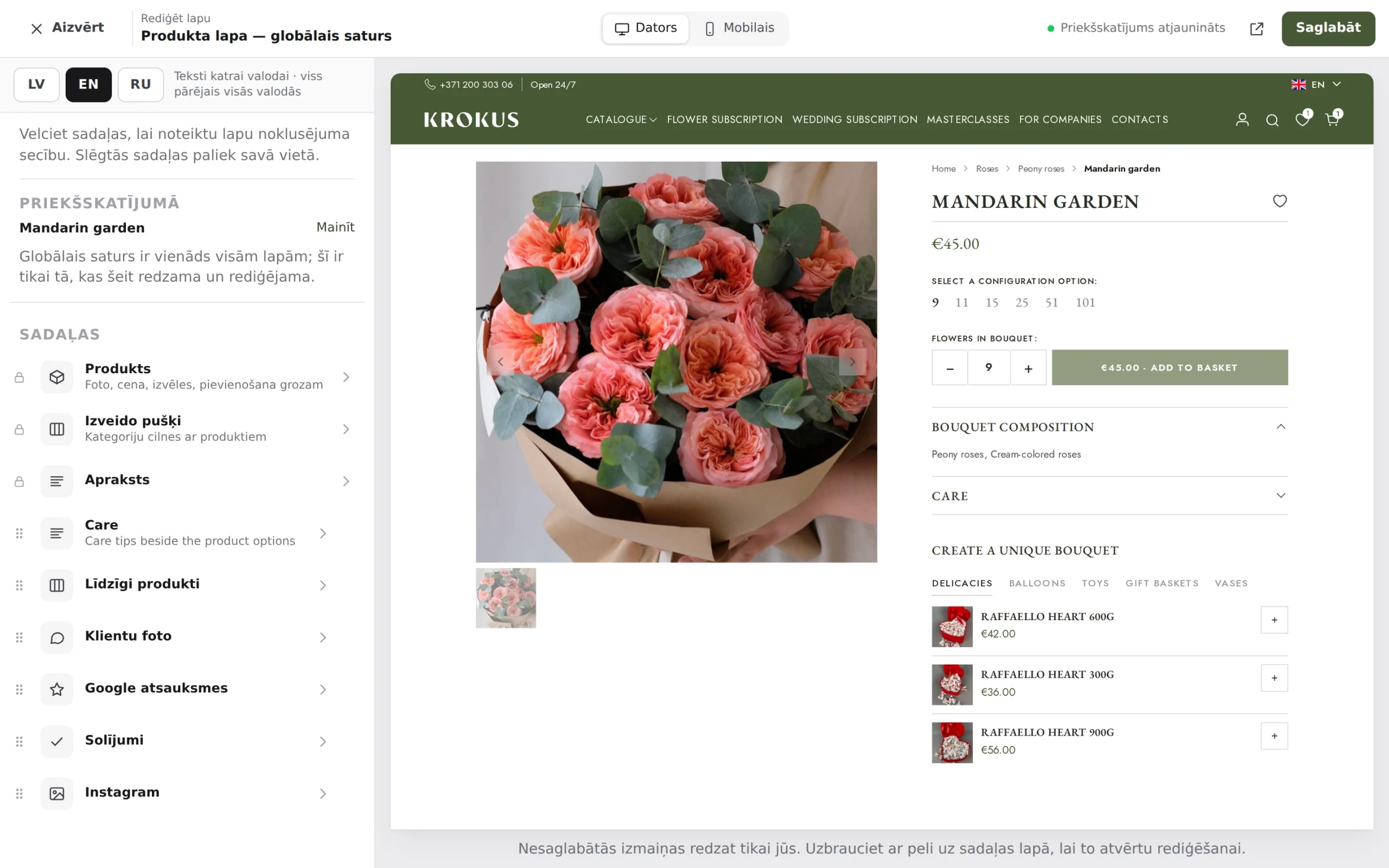
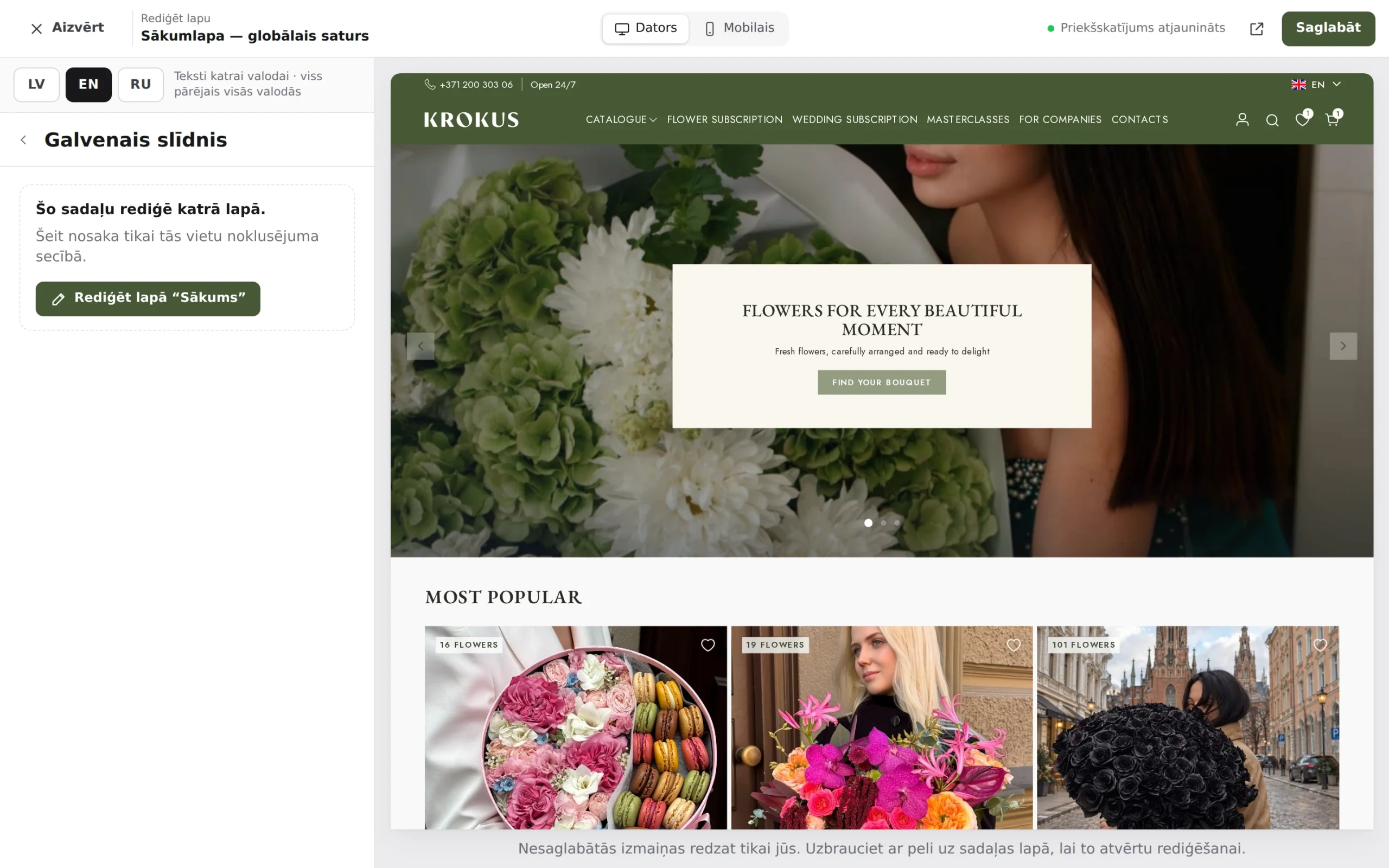
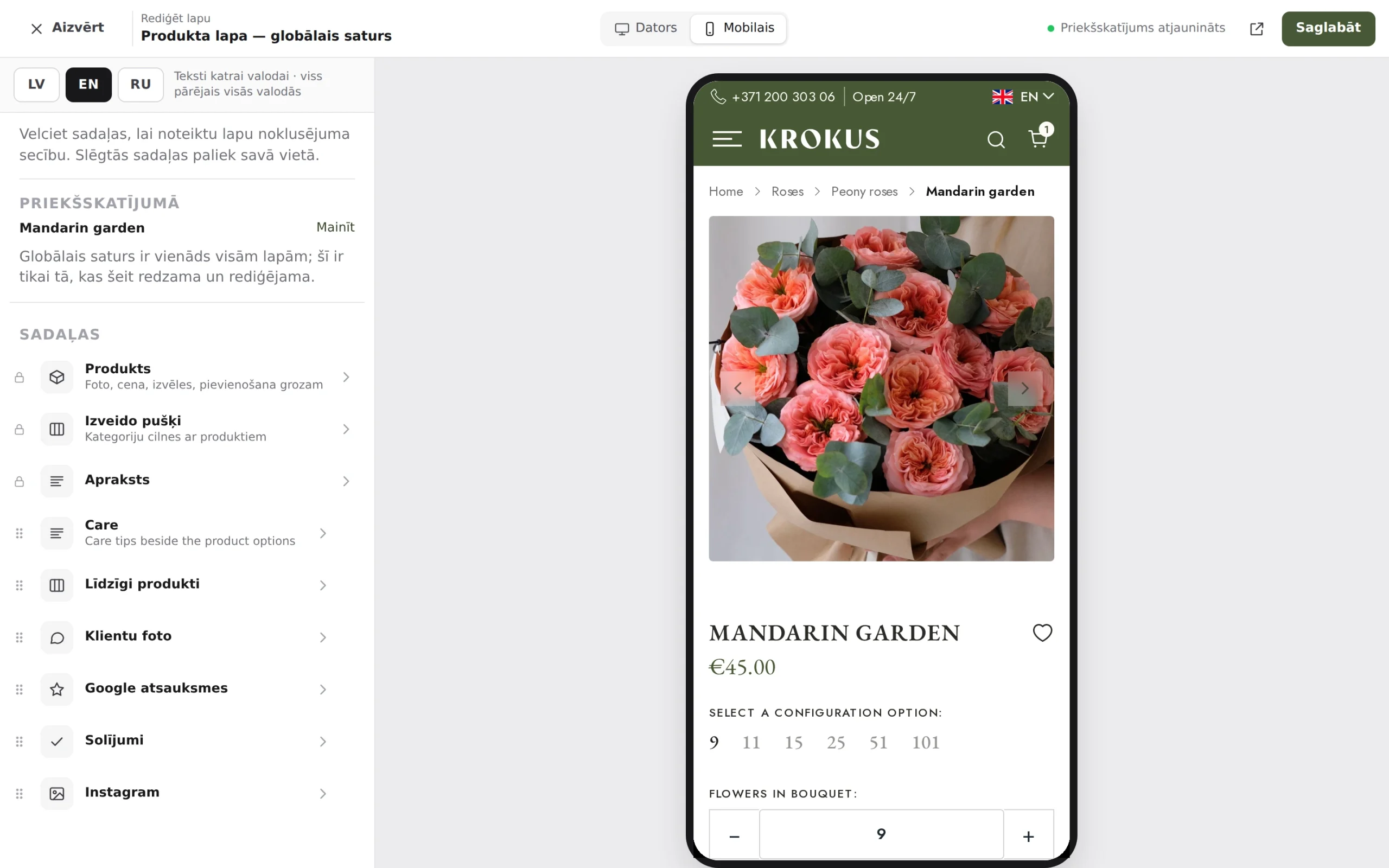
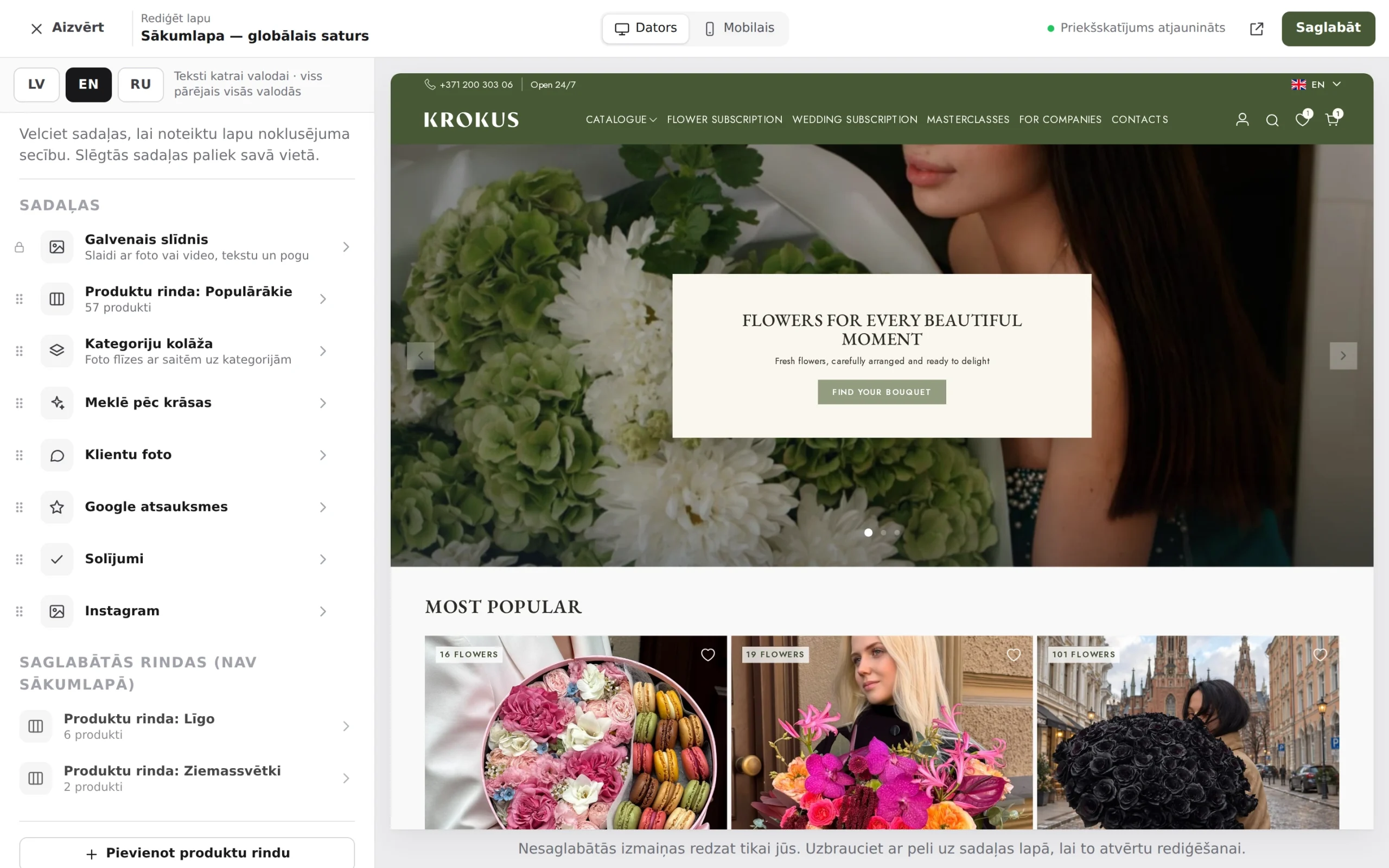
Editable content is common sense. What makes this different is how it is edited. Krokus has a Shopify-like visual editor: click any element, change it in a clean side panel, and preview the result instantly in desktop or mobile view. Nothing is guessed, and nothing goes live until it looks right. The editor is built for speed and for the people using it, so everyday changes take seconds.
Real-Time Preview
See each edit as it happens, with a one-click switch between desktop and mobile view.
Built-In Translation
Translations are edited in the same place, with the same live preview.
Fewer Clicks
Tuned for speed, so every change takes as little effort as possible.
No Developer Needed
Banners, texts, colors, images and footer content are all editable by the team.
The People Behind The Work
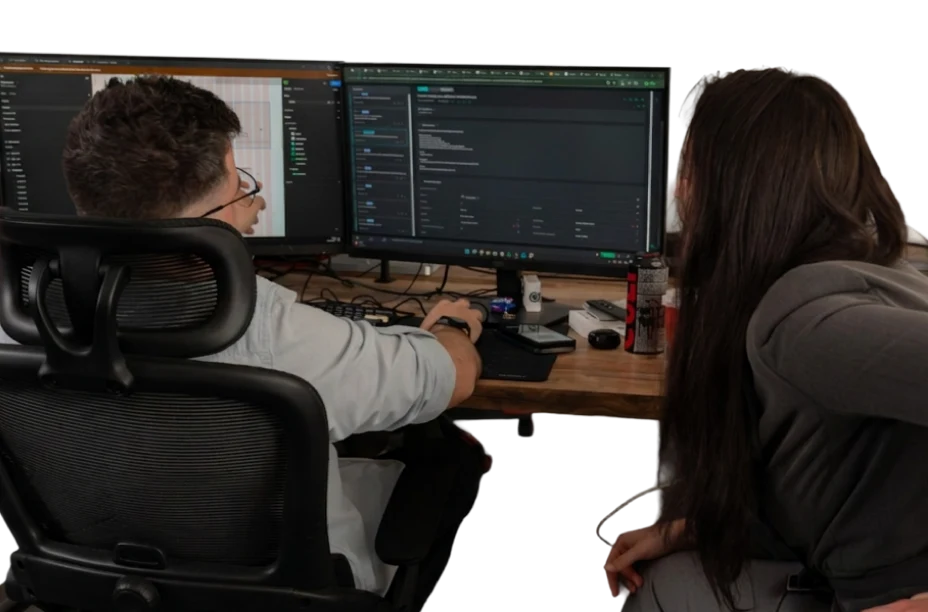
Project Manager, WooCommerce Developers, UX/UI, SEO Migration, AI & Automation, QA.
-

Einārs Melderis
Project Manager
Focus: Project Delivery · Communication · Coordination
-

Lauris Priede
Chief Technology Officer
Focus: Architecture · Integrations · Performance
-

Deins Grets
Head of UI/UX & CRO
Focus: UI/UX · Usability · Customer Journeys · CRO
-

Rainers Leitarts
Full-stack Developer
Focus: Development · Integrations · Checkout
-

Mārcis Motcats
E-commerce System Engineer
Focus: Full-scale enterprise systems · Automation Workflows · Technology
-

Anush Avetisyan
QA Team Lead
Focus: QA · Payments · Integrations · Release Quality



 25+ Developers, Designers, CRO Specialists & others
Strategic Decisions
-
A Custom Theme, Not a Page Builder
We built it with PHP templates and the Classic editor for full control over logic and speed. No page-builder bloat, and every Krokus rule lives exactly where we need it.
-

SEO From Day One
SEO was treated as a first-class requirement from day one, not an afterthought. Clean URLs, redirects and a safe migration came before any new feature.
-
What We Deliberately Avoided
Heavy off-the-shelf plugin stacks and a cluttered default admin. Every merchant knows how much of the standard WordPress panel is noise for their business.
Results We Delivered
-
Measured Results
Krokus now runs on a platform it fully owns, with better search visibility than before the move. Organic traffic dipped only 7% in week 1 and grew by over 32% within 3 weeks. Cyrillic was removed from the URLs, and the full catalogue was imported with no manual entry. The platform is now standard WordPress + WooCommerce, maintainable by any WordPress team.
-
What the Client Gained Beyond the Numbers
• Freedom. No more dependence on a platform nobody could take over.
• Control. The team edits banners, products, translations and holiday sections on their own.
• Speed. An admin built for the real workflow, from order to courier to print.
• Foresight. AI analytics that turn sales history into forecasts.
• Room to grow. A clean WooCommerce base that can keep expanding with the business.
- −7% Organic dip in week 1 Vs 20–30% typically expected during a full platform migration.
- +32% Organic growth Within 3 weeks of launch.
- 99.9% Data accuracy Fully automated product migration, no manual entry.