
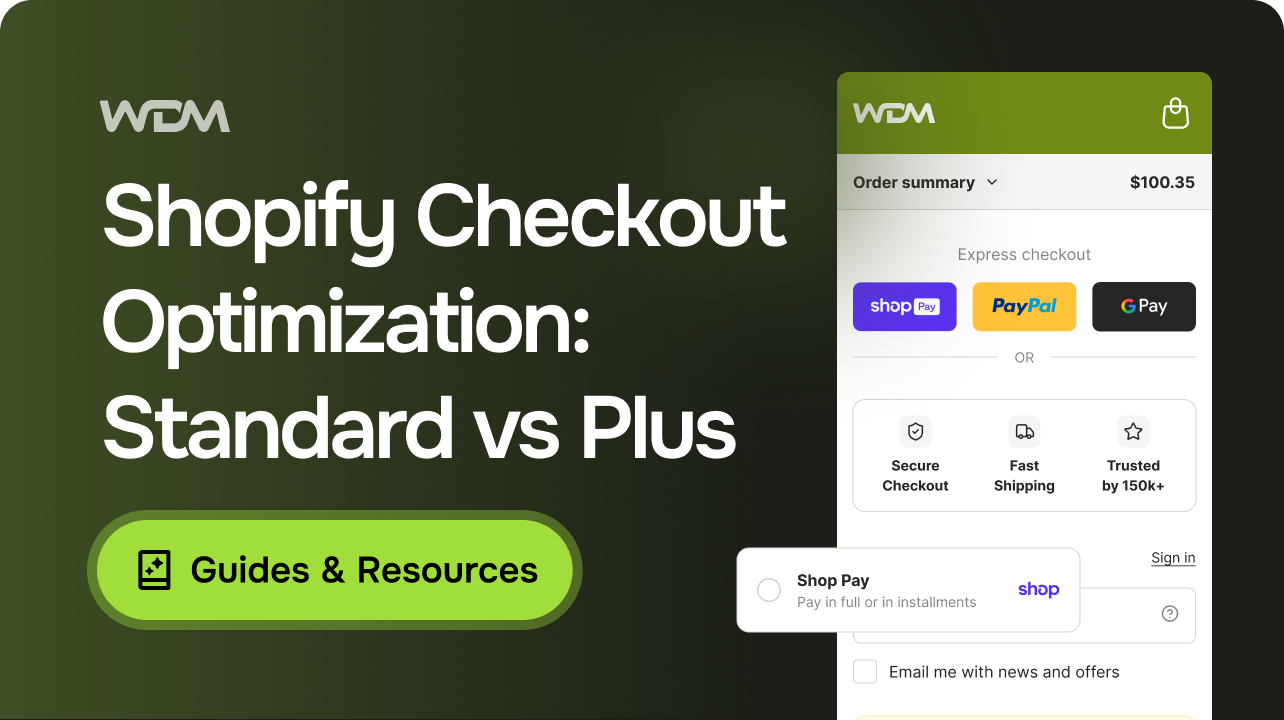
The upgrade conversation usually starts in the wrong place. A team looks at a checkout that loses more orders than it should, decides the platform is the constraint and asks what Shopify Plus costs. Part of what they want genuinely does require it.
Shopify checkout optimization is unusual in that the ceiling is set by a billing decision rather than by a development budget. On a standard plan the checkout is configurable but not editable. On Plus it becomes programmable, inside limits Shopify still defines. Knowing where that line falls, before anyone scopes work, is what decides whether the next quarter goes into configuration, into apps and functions, or into an upgrade that may never touch the reason orders are being lost. For established stores addressing these constraints, working with a dedicated conversion rate optimization agency ensures diagnostics translate directly into measurable revenue gains.
What Shopify Checkout Optimization Covers on a Standard Plan
The configurable surface is wider than most teams assume and it is almost always under-used. Shopify’s checkout form options put a small set of decisions in the admin, each of which changes what a buyer is asked to do before the order can be placed:
- Company name can be set to “Don’t include”, “Optional” or “Required”. Shopify notes that setting it to Required may disable some accelerated checkout options, which is a genuine trade rather than a preference: a B2B store that needs the field may lose the one-tap route that its returning B2C buyers use most.
- Company VAT number can be included as optional but cannot be made mandatory, so a store that must collect it from every business buyer will need validation somewhere other than the checkout form itself.
- Address line 2 has the same three states, with the caveat that if it is required or removed “some customers might not be able to proceed with their purchase”. Removing it looks tidy and can quietly break delivery for apartment buildings and office addresses.
- Shipping address phone number defaults to optional on new stores. Making it required helps couriers that call before delivery and adds a field that some buyers will decline to fill for a low-value order.
- Customer contact method can be email only, or phone number or email. The second option widens who can check out and complicates every downstream flow that assumes an email address exists.
- Full name can require both names or only the last name, which matters more for markets where a single-field name convention is normal than for a domestic store.
Beyond that list, Shopify states that “all other form options are always required”, and certain address fields are required by the customer’s country or region and cannot be changed. The practical consequence is worth stating plainly: a merchant on any paid plan controls roughly half a dozen field decisions and nothing else about the form. If a review of the checkout recommends removing a field that is not on that list, the recommendation is not implementable at any price short of a plan change.
Payment and delivery behaviour is the second area open to standard plans. Shopify’s documentation on customizing payment methods and delivery options sets the floor at the Basic plan, so hiding a rarely used wallet from a market where it confuses buyers, or reordering delivery options so the one most people choose appears first, is available well below the enterprise tier. The limitation is specific rather than general: in the United States and Canada, customizations on non-Plus plans are limited to non-credit-card payment methods, and credit card options remain as Shopify presents them. Store owners who want an independent baseline before committing development hours can request a free store diagnostic to pinpoint the highest-leverage fixes.
The third area is everything after the order is placed. Shopify’s developer documentation confirms that extensions “that appear after a purchase has been completed will be available to all plans except Shopify Starter”, which covers the thank you and order status pages. Those pages carry more commercial weight than their reputation suggests. They are where order tracking questions start, where a returning customer decides whether to create an account, and where a post-purchase offer either arrives at the right moment or annoys someone who has already paid.
Where a Standard Plan Stops
The boundary is sharper than the marketing around checkout apps implies. Shopify’s checkout extensions documentation is explicit: “Checkout UI extensions that render on the information and shipping and payment steps in checkout are available only to stores on a Shopify Plus plan.” Anything that would place a delivery date picker, a purchase order field, an age gate, a gift message box or a trust panel inside the checkout steps themselves belongs to Plus. An app that advertises checkout functionality and installs happily on a Grow plan is frequently working on the pages either side of the checkout rather than inside it, which is a reasonable product but a different one.
Appearance follows the same rule. Shopify’s guidance on checkout styling states that “checkout styling customizations are available only to Shopify Plus merchants”, and that styles cannot currently be customized for individual pages because they apply across checkout, the checkout queue, checkout UI extensions and customer account pages. A brand with strict visual guidelines will find the standard-plan checkout recognisably Shopify’s. A Plus store will find its own styling applied consistently but not selectively.
One capability sits between the two tiers rather than at the top. The checkout and accounts editor allows a merchant to adapt checkout and account pages per market, but “customizing checkout and accounts pages for specific markets is available only to stores on the Advanced or Plus plan”. For an internationally trading store, the Advanced tier can therefore resolve a real problem without an enterprise contract, and that middle option is often skipped in the jump from “we are limited” to “we need Plus”.
What has changed most in the last two years is that the old escape route has closed. Shopify’s documentation records that checkout.liquid is now unsupported for the Information, Shipping and Payment steps, that it was sunset for the Thank you and Order status pages on August 28, 2025, and that script tags were sunset on those pages on the same date for Plus stores and on August 26, 2026 for non-Plus stores. Teams that once solved a checkout requirement by pasting a script into a legacy template no longer have that option on any plan. The line between configuration and code is now the line Shopify has drawn.
Standard Plans and Shopify Plus Compared, Capability by Capability
| Checkout capability | Basic, Grow, Advanced | Shopify Plus |
|---|---|---|
| Checkout form fields (company, VAT, address line 2, phone, contact method, name) | Configurable from checkout settings | Configurable from checkout settings |
| Hiding, renaming or reordering payment methods | Available from the Basic plan; in the US and Canada limited to non-credit-card methods | Available, including credit card field customizations in the US and Canada |
| Payment terms presented at checkout | Not available | Available |
| Delivery option customization | Available through apps and functions | Available, including the Checkout Blocks route |
| UI extensions on the information, shipping and payment steps | Not available | Available |
| Extensions on the thank you and order status pages | Available on all plans except Shopify Starter | Available |
| Checkout styling and branding control | Not available | Available, applied across checkout and account pages rather than per page |
| Market-specific checkout and accounts customization | Advanced plan only | Available |
| Legacy checkout.liquid and additional scripts | Sunset | Sunset |
Read down the middle column and a pattern appears. The capabilities a standard plan lacks are mostly about presentation, in-checkout logic, per-market variation. The capabilities it has are mostly about what the buyer is asked for and what they are offered. That distinction is worth holding onto, because the second group tends to sit closer to the reasons people give for abandoning an order than the first does. Most Shopify checkout optimization work that changes a completion rate lives in the middle column, not the right one. A store that has never audited its own checkout settings is unlikely to be constrained by the plan yet, whatever the vendor of a checkout app has suggested.
Which Checkout Changes Tend to Move Completion
Survey data on why shoppers leave is useful for prioritising attention and unreliable for predicting outcomes. Omnisend’s review of cart abandonment reasons reports that “about 22% of US consumers abandon their carts due to complicated checkouts” and that “13% of US consumers abandoned purchases because their preferred payment option wasn’t available”. Those figures describe what a sample of shoppers said, in one market. They support the claim that checkout complexity and payment coverage are common enough to be worth investigating first. They do not establish that removing two fields from a particular store’s form will produce a measurable lift, and any proposal that converts a survey figure into a revenue forecast should be treated with suspicion.
Taken with the capability boundary above, that points at a shortlist of Shopify checkout optimization work available to every plan. Payment method coverage for the market being sold into is the clearest example, because a missing local wallet or card scheme is not a design problem and cannot be tested away. The required-field audit is the second, and it is usually the cheapest change a store will make all year. The third is naming and ordering delivery options so the difference between them is legible without arithmetic, since a buyer comparing three similarly worded shipping lines is being asked to do work the store could have done for them.
The fourth belongs to the theme rather than the checkout, and it is the one most often misfiled. Shipping cost, delivery timing, duties and return terms are presentable on the product page and in the cart, both of which the merchant controls completely on any plan. When a shopper meets a cost at the payment step that nothing earlier prepared them for, the checkout records the loss but did not cause it. Our analysis of why product pages receive traffic but fail to convert covers the same displacement in the other direction, and the diagnostic principle holds in both: the step where the visitor leaves is not automatically the step that failed.
Key takeaway: the plan determines how far a checkout can be changed, not how much of the loss is happening there. A store should establish the second before it pays for the first.
A Working Order for Shopify Checkout Optimization
The sequence below is deliberately front-loaded with measurement and settings, because both are cheap and both change what the later steps are worth doing.
- Quantify the checkout stage before touching it. Establish how many sessions reach checkout and how many complete, over a period long enough to cover a full weekly cycle. A checkout that converts well but is reached by few people is a merchandising problem wearing a checkout costume.
- Split the figures by device and by market. An aggregate completion rate hides the two segments most likely to be failing for structural reasons, and market-level differences frequently trace back to payment methods or address requirements rather than to the interface.
- Audit the settings you already own. Record the current state of every configurable field, the payment methods enabled per market, and the delivery options as a customer sees them. Teams are regularly surprised here, particularly when the store has changed hands or been migrated.
- Classify each finding by what it would take to fix. A configuration change, an app or function, a Plus-only capability, or something that is not a checkout problem at all. The fourth category is usually the largest and the most commonly mislabelled.
- Price the plan-gated items honestly. Add up only the findings that genuinely require Plus, estimate what each might be worth, and compare that against the annual cost difference. A single branded checkout is rarely a business case on its own; three plan-gated findings that each touch a measurable step often are.
- Change one thing at a time and measure completion, not clicks. Checkout changes interact, and a store that alters fields, payment ordering and delivery naming in the same week will not learn which one mattered. Where traffic allows, a controlled test is better than a before-and-after comparison across two different trading periods.
- Treat recovery messaging as a net, not a repair. Klaviyo’s guidance on abandoned cart timing suggests sending the first reminder two to four hours after abandonment and warns that “offering discounts to repeat cart abandoners can work against you by training them to wait for a discount before buying”. A recovery flow catches some of what the checkout drops. It does not stop the dropping.
When Upgrading to Plus Is the Right Call and When It Is Not
Choose Plus when the constraint is documented and recurring rather than aesthetic. Stores selling into several markets that need genuinely different checkout content, businesses running B2B and D2C through one store, retailers whose payment logic depends on order value, customer group or fulfilment method, and brands whose checkout must carry a distinctive visual identity all hit the boundary described above regularly rather than once. In those cases the upgrade buys capability that no amount of configuration will reproduce, and the decision is a straightforward comparison of that capability against its cost.
Stay on a standard plan when the settings audit has not been done, when the losses concentrate before the checkout, or when the single blocking requirement is per-market content that the Advanced tier already covers. A capable in-house developer or a small external team can complete the settings work, install a delivery or payment customization, and rebuild the pre-checkout cost messaging without any plan change. Businesses that upgrade before establishing where the loss sits tend to arrive on Plus with a better-looking checkout, the same completion rate, the disappointment is usually attributed to the platform rather than to the sequence.
There is a third answer that deserves saying out loud, because it occasionally beats both. A store whose requirements sit permanently outside what a hosted checkout allows is comparing the wrong two options. Platforms that expose checkout behaviour as ordinary configuration work differently: Adobe Commerce, for example, exposes settings such as “Allow Guest Checkout”, “Enable Onepage Checkout” and “Enable Terms and Conditions” directly in the admin, alongside billing address placement and order summary limits.
More control is not automatically better. It comes with responsibility for security, compliance and payment integration that a hosted checkout absorbs on the merchant’s behalf. It is a different trade, not a superior one, and it belongs in a replatforming discussion rather than a checkout ticket.
Our comparison of Shopify and Shopify Plus for a migration works through the same decision from the platform side. A multi-country build such as the localised storefronts we delivered for Astra Velo shows what the alternative path looks like for a catalogue and market footprint that had outgrown its original setup.
Internal expert input required: add a verified example of a WD Market client whose checkout requirement was resolved by configuration rather than by a plan upgrade, including which setting changed and how completion was measured afterwards.
Mistakes That Make Shopify Checkout Optimization Look Ineffective
- Buying an upgrade to solve a pre-checkout problem. When unexpected shipping cost is the complaint, the fix lives on the product page and in the cart, and both are already fully under the merchant’s control. The upgrade changes what the checkout looks like while the surprise arrives at exactly the same moment.
- Requiring the company name field on a mixed B2B and B2C store. It collects data the finance team wants and can switch off accelerated checkout routes for consumers, so the cost of the requirement falls on a group that was never the reason for it.
- Removing address fields to shorten the form. Shorter is not always better when couriers in some markets need the removed detail, and the resulting failed deliveries surface as support cost rather than as a conversion metric, which makes the change look successful in reporting.
- Treating an abandoned checkout flow as the checkout strategy. Recovery messaging is measurable and satisfying to report on as well as it can mask a structural problem for a long time because the recovered revenue keeps the total looking acceptable.
- Changing settings without recording what they were. Checkout configuration rarely has a version history that anyone reads, so a change that harms completion can be difficult to identify weeks later when the trading conditions have also moved.
A common thread runs through all five. Each one substitutes an action that feels decisive for a diagnosis that would have been cheaper, and each is easier to justify in a meeting than the unglamorous alternative of measuring the funnel first. A structured ecommerce CRO audit exists largely to prevent that substitution, by establishing where the revenue is actually leaving before anyone commits to a fix.
Deciding Where Your Checkout Ceiling Sits
Two questions settle most of this. How much of the loss is happening inside the checkout rather than before it, and which of the remaining findings actually require a capability the current plan withholds? A store that answers both will usually find that the field decisions, payment coverage and delivery presentation available on its existing plan account for the majority of what it wanted to change, and that the genuinely plan-gated items are few enough to price individually.
Shopify checkout optimization works best approached in that order, because both the configuration work and the upgrade decision improve when the funnel evidence comes first. The upgrade remains the right answer for stores whose requirements sit repeatedly on the other side of the boundary. It is an expensive way to discover that the problem was somewhere else entirely.
From Checkout Constraints to Measurable Completion Gains
If the checkout is losing orders and nobody can say confidently how many or why, the useful next step in any Shopify checkout optimization programme is a diagnosis rather than a quote for development. WD Market’s CRO and growth support covers exactly that: a measured view of the checkout funnel by device and market, a settings audit against what your current plan permits, and a prioritised list separating configuration changes from work that would genuinely require Shopify Plus, with each item carrying an estimated value and a way to verify it after release.
To discuss your own checkout, get in touch with our team. We also publish shorter analyses of ecommerce conversion and platform decisions on WD Market’s LinkedIn page.
Frequently Asked Questions
Can I remove the phone number field from my Shopify checkout?
Yes, on any paid plan. The shipping address phone number is one of the fields exposed in checkout settings, and it can be set to not included, optional or required. New stores default to optional. Before removing it, check whether your carriers rely on it for delivery notifications in the markets you ship to, because the cost of removing it appears in failed deliveries and support tickets rather than in your conversion reporting.
Does moving to Shopify Plus improve conversion on its own?
Not by itself. Plus removes constraints; it does not diagnose anything. Stores that gain from the move usually had specific, repeated requirements blocked by those constraints, such as in-checkout content, per-market variation or payment logic tied to customer group. If the underlying loss is caused by cost surprises, weak product information or a payment method that is missing from a market, the same loss will continue on the higher tier at a higher monthly cost.
What replaced checkout.liquid and the additional scripts field?
Shopify’s extension model. The legacy template is no longer supported for the information, shipping and payment steps, it was retired for the thank you and order status pages during 2025, and script tags on those pages ended for Plus stores in August 2025 and for other plans in August 2026. Anything previously achieved by injecting code now needs a checkout UI extension or a function, which is also why plan level now determines more than it used to.
Can a store on the Grow plan hide a payment method at checkout?
Generally yes. Payment method and delivery option customization is available from the Basic plan upwards, so hiding, renaming or reordering options is not restricted to enterprise stores. The exception is worth knowing before you plan the work: in the United States and Canada, stores below Plus can only customise non-credit-card methods, and credit card options continue to display as Shopify presents them.
Do I need Plus to run a different checkout for each country?
Not necessarily. Customising checkout and customer account pages for specific markets is available on the Advanced plan as well as on Plus, which makes Advanced a realistic middle step for stores whose only blocking requirement is market-level variation. What remains exclusive to Plus is styling control and content inside the checkout steps themselves, so the answer depends on whether the requirement is different content per market or a differently built checkout.
How do I tell whether the checkout is really where we lose orders?
Compare the share of sessions that reach the checkout with the share that complete it, then repeat the comparison for mobile and desktop and for each significant market. A low reach rate with healthy completion points upstream, to product pages, cart presentation or traffic quality. Healthy reach with poor completion points at the checkout itself, and the market and device split will usually indicate whether the cause is payment coverage, address requirements or the interface.